New Image Filter – Find the Right Image Faster
We’ve now added a new image filter in Nuba, making it much easier to find the right image.
The feature works the same way as the filter in Work periods. In Images, you’ll now see a small funnel icon – click it to open the filtering options.
You can filter images by date, location, or user. You can combine multiple filters to quickly find exactly the images you’re looking for.
Once you’ve made your selections, click Filter! – done!
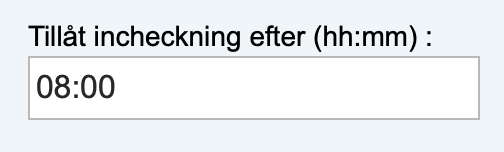
New! Prevent early check-ins
Now you can prevent staff from checking in too early. There is a new field in “Locations” called “Allow check-in after.” Here, you can specify a time in hours and minutes. If someone tries to check in before that time, they will receive the message: “Unfortunately, you cannot check in yet, as this location does not allow check-in before 8:00” If the field is left blank, it will work as it does today.
Time Bank Shows History
You can now see day by day how the time bank has changed for each user. As an admin, you can easily check if something went wrong or if you want to clear the time bank up to a specific date. The feature was activated today, which means data will be populated day by day. The time bank displays up to the last 60 days.
New and improved maps
We’ve now updated to Google’s new maps. They look better and load much faster. We’ve also improved the search field when creating new locations, so it’s now much easier to find the right address or place.
User filter for group managers
Group managers can currently edit time entries for the people in their group. We’ve now made this easier by allowing group managers to also view individual users within the group, making it simpler to review all reported time entries.